
You're in a Zoom call when suddenly "Fred from Fireflies" joins the meeting. That little bot starts recording everything you say, transcribing your conversation, and promising to send you a nice summary afterward.
It's convenient. Until you start wondering: where do all those recordings actually go? And what exactly is Fireflies doing with them?
We decided to find out.
What Is Fireflies AI?
Fireflies AI is a cloud-based service that automatically joins your video calls as a bot participant. It records everything, transcribes the conversation, and uses AI to create summaries and insights. The bot integrates with popular platforms like Zoom, Google Meet, and Microsoft Teams.
Everything gets processed on Fireflies' servers, not your device. Your conversations become their data. Otter AI raises similar concerns with its own cloud-based recording practices.
What does Fireflies actually do with your data?
I went through their privacy policy and terms of service. Here's what I found.
1. They're collecting everything about you
Your meetings and more:
- Complete audio recordings of every conversation
- Full transcripts and meeting summaries
- Your calendar data and scheduling details
- Information about everyone who attended
Your personal details:
- Name, company, email, home address, phone number
- Account passwords and login information
- Payment and billing data
Your digital footprint:
- Your exact location
- Your device IDs and MAC address
- What you search for and click on
- Your network information and browsing habits
Access to your other accounts:
When you connect Google Calendar or other services, Fireflies can access and store "any content that you have provided to and stored in your Third-Party Account" - including your contact lists.
2. The fine print that should worry you
They're not responsible if their AI messes up: Their terms explicitly say that while they use AI to process your conversations, "Fireflies is not liable for any loss or harm resulting from the user's use of AI." If something goes wrong with how they handle your data, you're on your own.
Your data becomes theirs forever: Fireflies keeps "all rights to aggregated and anonymous data derived from your use of the Service" with no expiration date. Even if they can't identify you personally, they own insights from your conversations permanently.
They share your data widely: Your information gets shared with their business partners, service providers, any company that might buy Fireflies in the future, or government authorities if they think it's necessary.
You're legally responsible for everything: Their terms say "You are responsible for compliance with all recording laws." If you accidentally record someone without consent, that's your legal problem, not theirs. This becomes especially problematic when users can't actually control when Fireflies records—you're still legally liable even if their bot shows up uninvited.
3. Their liability? Basically nothing
Even if Fireflies completely screws up and causes major damage, their maximum liability is capped at either what you paid them in the last six months or $100—whichever is less. Your confidential business meeting gets leaked and costs you a major client, and Fireflies owes you maybe $100.
Real privacy problems users are experiencing with Fireflies AI
The privacy policy issues aren't just theoretical. Real users are reporting some concerning problems:
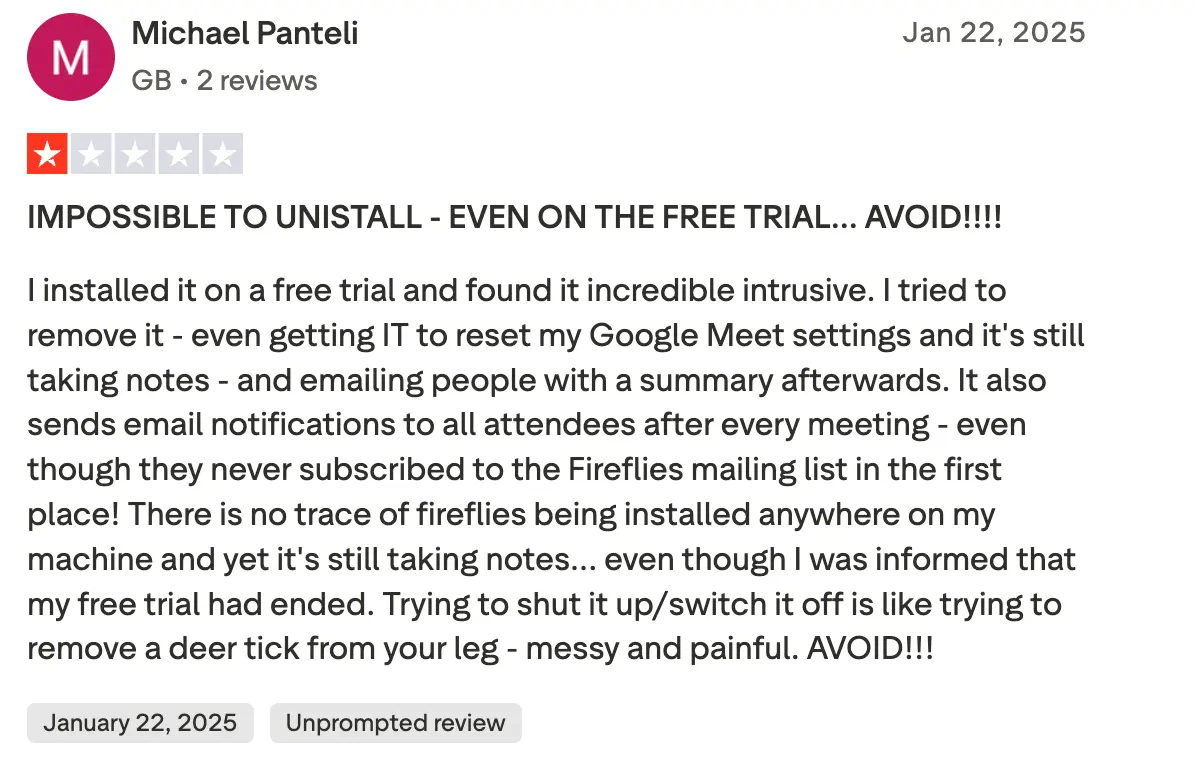
1. It won't go away
Source: Reddit
Multiple people report that Fireflies keeps showing up in their meetings even after they deactivated their accounts, tried to uninstall it, asked their IT department for help, or explicitly requested it to stop recording. One user described it as "trying to remove a deer tick from your leg—messy and painful."
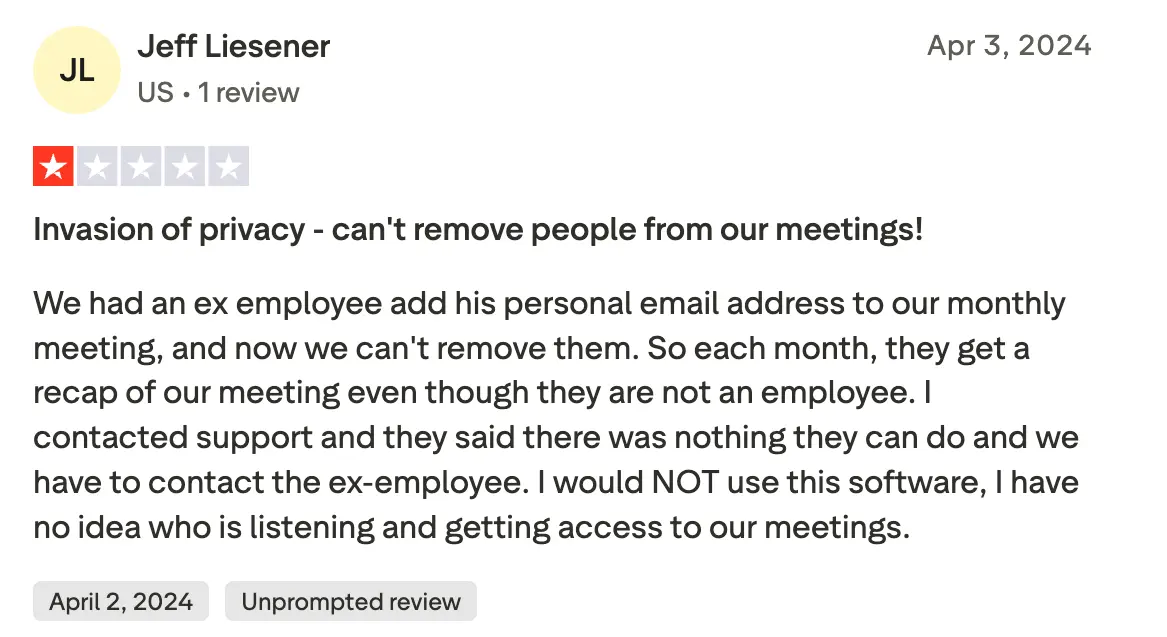
2. It shares transcripts with people who never signed up
Source: Reddit
Fireflies automatically sends meeting summaries to everyone on the calendar invite, including people who never consented to being recorded, external clients and partners, former employees who still have access to recurring meetings, and anyone who happened to be invited but didn't even attend.
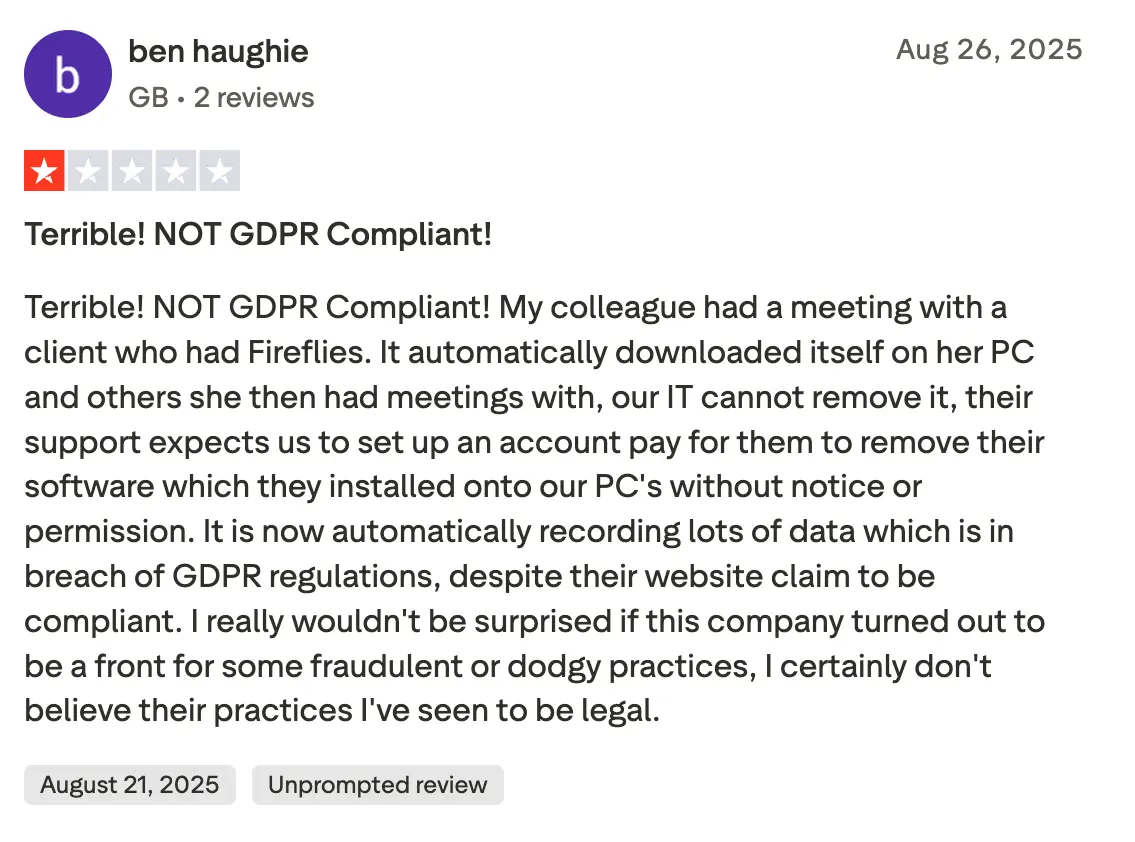
3. It installs itself without permission
Source: Reddit
Several users report that just by joining a meeting where someone else used Fireflies, the software somehow installed itself on their computers and started recording their future meetings without their knowledge.
Should I trust Fireflies with sensitive information?
Definitely avoid Fireflies for:
- Healthcare discussions with patient information
- Legal meetings requiring attorney-client privilege
- Financial services conversations with client data
- Any government or defense-related discussions
- International calls with people protected by GDPR
- Client consultations involving confidential business information
Use extreme caution for:
- Internal team meetings with sensitive company information
- Job interviews or HR discussions
- Sales calls with prospect data
- Executive or board-level conversations
Use for:
- Public webinars or presentations
- Non-confidential training sessions
- Casual team social meetings
Even then, everyone in the meeting needs to consent to being recorded, and you're legally responsible if they don't.
Is there a safer Fireflies alternative?
If you need AI-powered meeting transcription but don't want to hand over your conversations to a cloud service, there's a better way. Local AI meeting notetakers process everything on your device.
Meet Anarlog: Zero lock-in AI note-taker
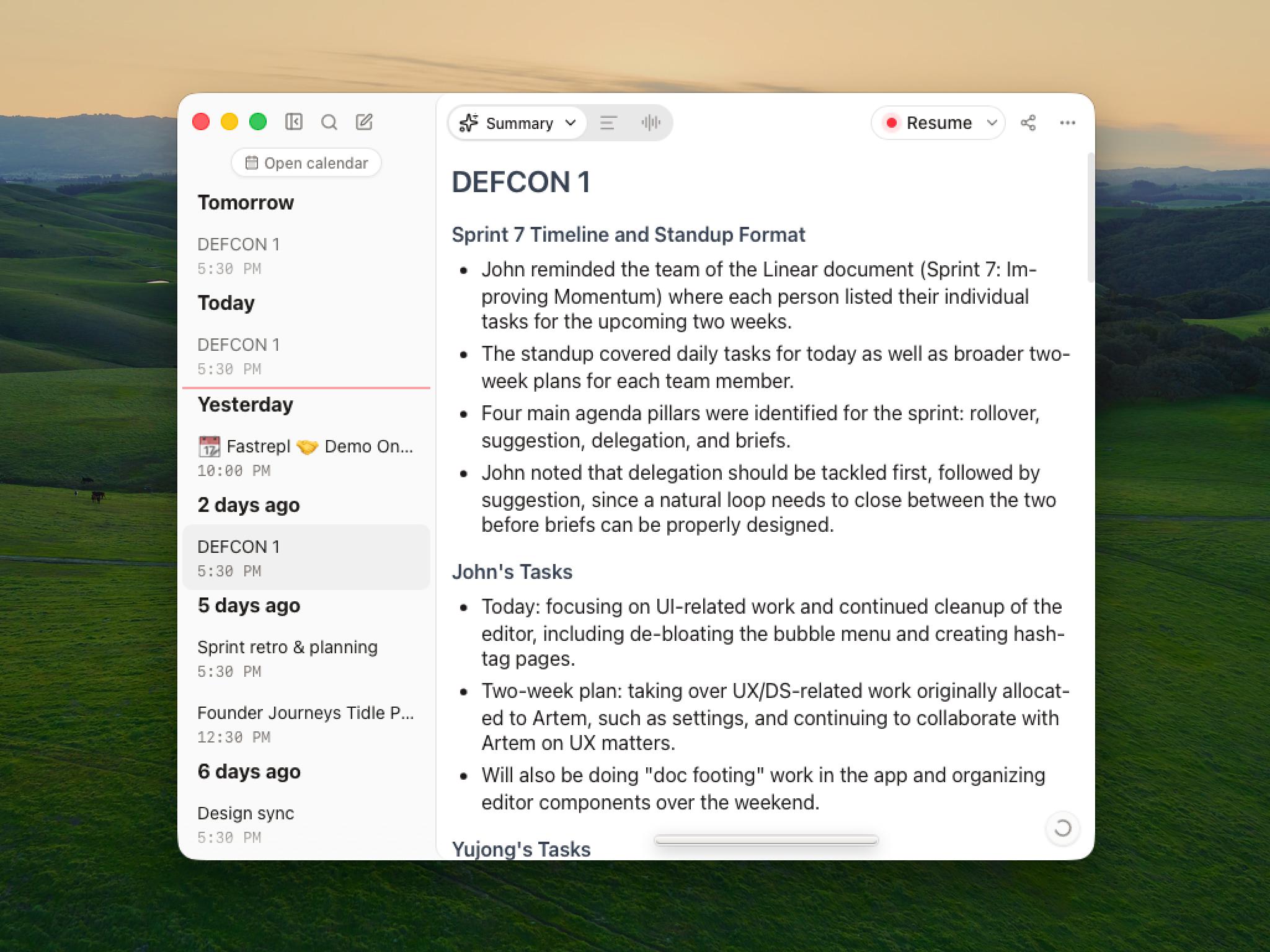
Anarlog is an open-source AI notepad for meetings with a local SQLite meeting record and a choice of AI stack. Markdown export is available when you need a portable copy. Compare each product's processing, retention, and integrations against your own requirements.
Check out our Fireflies AI Alternatives article for a detailed Anarlog vs Fireflies review.
How Anarlog keeps you safe:
Your choice of AI stack:
Managed cloud service ($15/mo), bring your own API keys, or run local models via Ollama. You choose which AI processes your data—not Fireflies.
Universal compatibility without bots:
Works with any meeting platform (Zoom, Teams, Google Meet, etc.) without joining your meetings as a bot. Records both your microphone and system audio directly, and works for in-person meetings too.
You control your data:
Export to Markdown, PDF, or rich text. Integrate with tools you already use like Obsidian or Attio. Connect to any AI provider you choose—OpenAI, Mistral, or custom endpoints. No vendor lock-in.
Built for controlled deployments:
A local-only configuration can keep capture, transcription, and summarization on-device. That can reduce vendor scope, but it does not replace consent, device security, access controls, audit requirements, or a review of any cloud services you enable.
Enterprise-ready:
For sensitive work, configure local processing where appropriate and complete a security and compliance review for every AI, CloudSync, and sharing service you enable.
What Anarlog collects (for full transparency):
Unlike Fireflies, Anarlog keeps canonical meeting content local by default. Its privacy policy separately describes pseudonymous usage data, device and log data, optional cloud features, and the services those features use:
- Usage and diagnostics: Pseudonymous product events, device information, logs, and sanitized crash reports
- Cloud features: Content you deliberately send to hosted transcription, AI, sharing, or connectors
- Website interactions: Analytics, support, and feedback activity
- Payment info: Processed by Stripe for paid users
Analytics and telemetry are designed not to include meeting audio, transcripts, notes, or summaries. Cloud transcription, AI, sharing, and connectors process the content required for the feature you enable.
Check Anarlog's take on Privacy
Is Fireflies AI Safe?
Fireflies AI might seem convenient, but convenience comes at a steep privacy cost. Their extensive data collection, broad sharing permissions, minimal liability, and documented issues with user control make it risky for most business conversations.
If you need AI-powered meeting assistance, choose a solution with zero lock-in that gives you complete control. Anarlog proves you don't have to sacrifice ownership for functionality.
Your conversations are valuable. Don't give them away for free.