
Granola's pricing page is short. The part that matters is not on the page.
Basic is free. Notes, transcripts, and chat sit on your account. After 30 days, they stop appearing in the app. Granola still has them. You do not, unless you pay.
That is the product. Not a footnote.
People searching "granola pricing" or "granola ai cost" are usually not comparing seat prices. They just hit the wall. This post is the bill of materials: what each plan includes, what the export actually gives you, and when the 30-day lock is a real problem versus a non-issue.
For the broader complaint set (language, silent capture, no audio, class action), see why people complain about Granola. For tools that do not age your notes out, see Granola alternatives.
Disclosure: I co-founded Anarlog, an open-source Granola alternative. Our bias is toward local ownership and portable archives. Prices and plan rules below link to Granola's own pages so you can check them.
The plans, in one table
Prices are Granola's published list as of August 2026. Confirm before you buy. Granola bills monthly only. There is no annual discount.
| Plan | List price | History | What you are actually buying |
|---|---|---|---|
| Basic | Free | Last 30 days visible | Personal notepad. Notes older than 30 days stay on Granola's servers and unlock if you upgrade. |
| Business | $14 / user / month | Unlimited | History, plus Slack, Notion, CRM, Zapier, webhooks, folders, admin. |
| Enterprise | From $35 / user / month | Unlimited | SSO, admin controls, org-wide auto-deletion, org-wide AI training opt-out, analytics, custom contracts. |
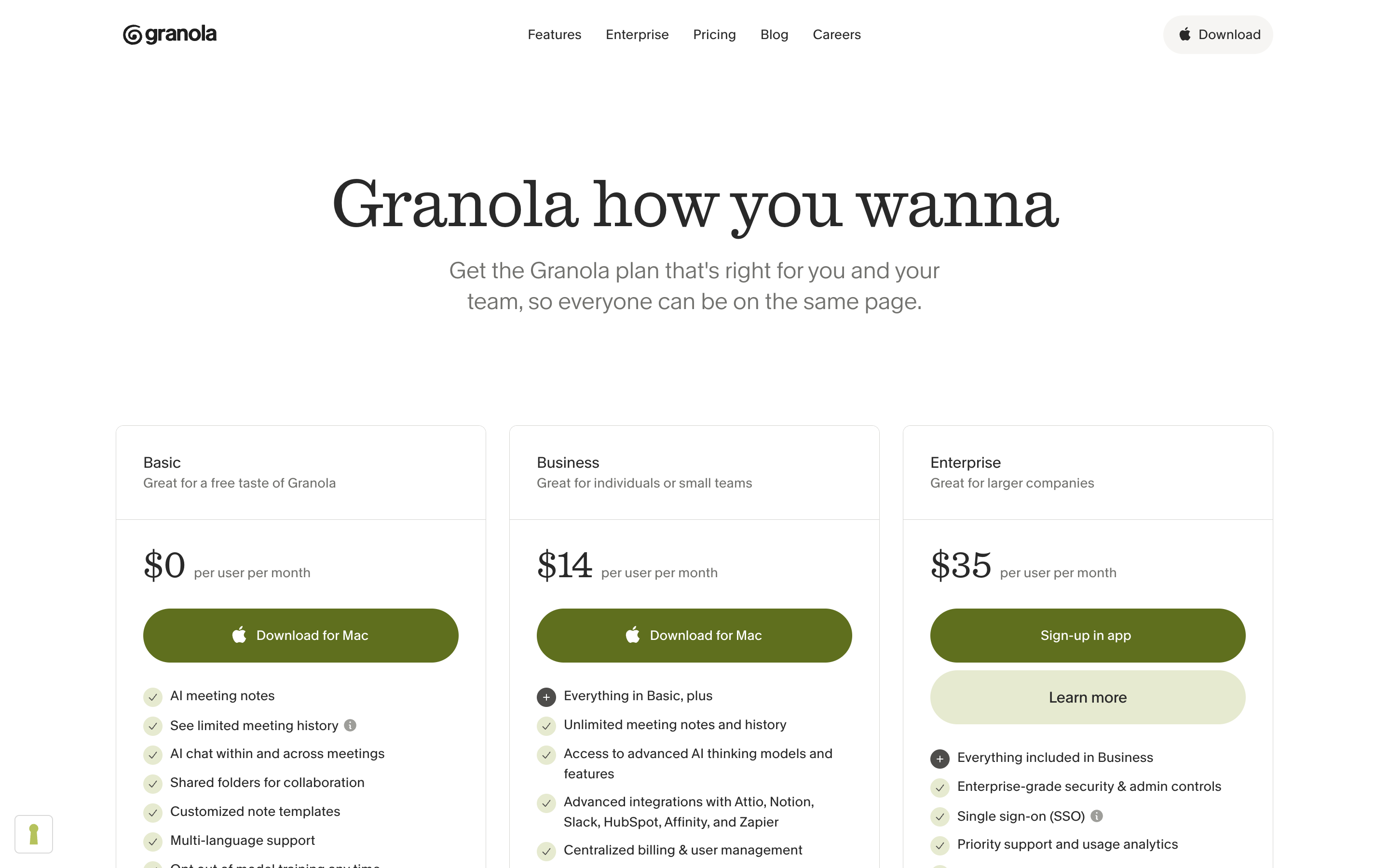
Granola's pricing page as of August 30, 2026. Source: Granola.
Granola's startup and student programs give 12 months of Business for free if you qualify. After that you are on the normal bill.
There is no personal paid tier between Basic and Business. The jump is $0 to $14, and it is a workspace-wide jump. Granola's billing docs are explicit: everyone in the workspace sits on the same plan. You cannot keep yourself on Business and leave contractors on Basic.
What "free" actually means
On Basic you can:
- Capture meetings on Mac, Windows, and iOS (system audio, no bot).
- Get transcripts and enhanced notes.
- Chat with your notes.
- Connect Slack only. Notion, HubSpot, Affinity, Attio, Zapier, and webhooks are paid.
You cannot:
- Open a note, transcript, or chat older than 30 days.
- Search across that older history.
- Export a real archive of your meetings.
The 30-day rule is the whole monetization. Feature-gate the integrations if you want. The history lock is what converts people who already live in the product.
The 30-day wall, precisely
Granola's own wording:
"On the Basic plan, you can view the last 30 days of your notes, transcripts, and chat history. Everything is still saved - you'll get full access if you upgrade."
Three consequences follow from that sentence.
1. Nothing is deleted at day 31. The note is not gone. The view is gone. Granola is holding the corpus. You are renting access to your own backlog.
2. Downgrade puts the wall back. Leave Business, and notes older than 30 days disappear from the app again. They are not wiped. They are re-locked. Upgrade later and they reappear.
3. The free export is not an archive. Granola emails a CSV of titles and summaries. Not transcripts. Not enhanced notes. Not chat. Not the notepad. If your compliance story is "we export everything monthly and keep it," this export does not do that.
People treat the CSV as a backup. It is a table of contents.
What Business actually adds
$14/user/month buys two things that matter and a pile of integrations.
The two that matter:
- Unlimited history. Search last quarter. Open the note from the customer call in March. Chat across the year.
- The rest of the stack. Slack is already on Basic. Notion, the CRMs, Zapier, and webhooks are why ops and sales teams upgrade, not because they suddenly need a prettier notepad.
Folders and admin controls come along. Fine. They are not why someone who just wanted last month's 1:1s hits upgrade.
At 10 people, Business is $140/month, every month, with no annual. At 50, $700. That is cheap versus a conversation-intelligence suite. It is not cheap versus a local notepad that does not age notes out.
What Enterprise is for
Enterprise starts at $35/user/month. The page lists SSO, admin controls, org-wide auto-deletion, usage analytics, and custom contracts. Granola's current HIPAA page still says the product is not HIPAA-compliant and does not sign BAAs.
The item most people miss: org-wide AI training opt-out. On Free and Business, training is on by default. You can turn it off per account. The company-wide switch is an Enterprise control. If procurement cares about training, you are not on the $14 plan.
We cover training, consent, and the Chamberlain class action in Is Granola AI safe?. Pricing and safety are the same conversation for legal and IT. They are not the same conversation for a founder who just wants last month's notes.
How people actually search this
Semrush (July 2026) does not give "granola pricing" its own huge keyword row the way granola ai (22,200) does. The intent still shows up everywhere:
- Google autocomplete around granola cost, granola free, granola 30 days.
- Reddit threads that start as feature questions and end as "wait, my notes disappeared."
- Review sites that list $0 / $14 / $35 and skip the storage model.
The search is not "is $14 fair." The search is "why can't I open the note from five weeks ago."
When the 30-day wall is a real problem
It is a problem if any of these are true:
- You treat Granola as the system of record. Customer commitments, interview notes, incident writeups, board prep. Those notes have a half-life longer than a month.
- You are in a regulated or just-careful org. "The vendor has the files, we cannot see them" is a bad sentence in a security review.
- You share a workspace. One upgrade decision applies to every seat. One downgrade locks everyone.
- You expected the CSV to be an exit. It is not.
It is not a problem if:
- Granola is a daily scratch pad and Slack or Notion is the archive.
- You already paste enhanced notes out after every meeting.
- You will pay Business without thinking about it. Then the wall is just the on-ramp.
Most power users are in the first group and tell themselves they are in the second. The conversion numbers suggest Granola knows that.
Granola vs a notepad that does not expire
Anarlog is open source and local-first. Notes live in your SQLite database. There is no 30-day view. There is no paid unlock for last quarter. Markdown export is available when you want portable files; SQLite remains the canonical store.
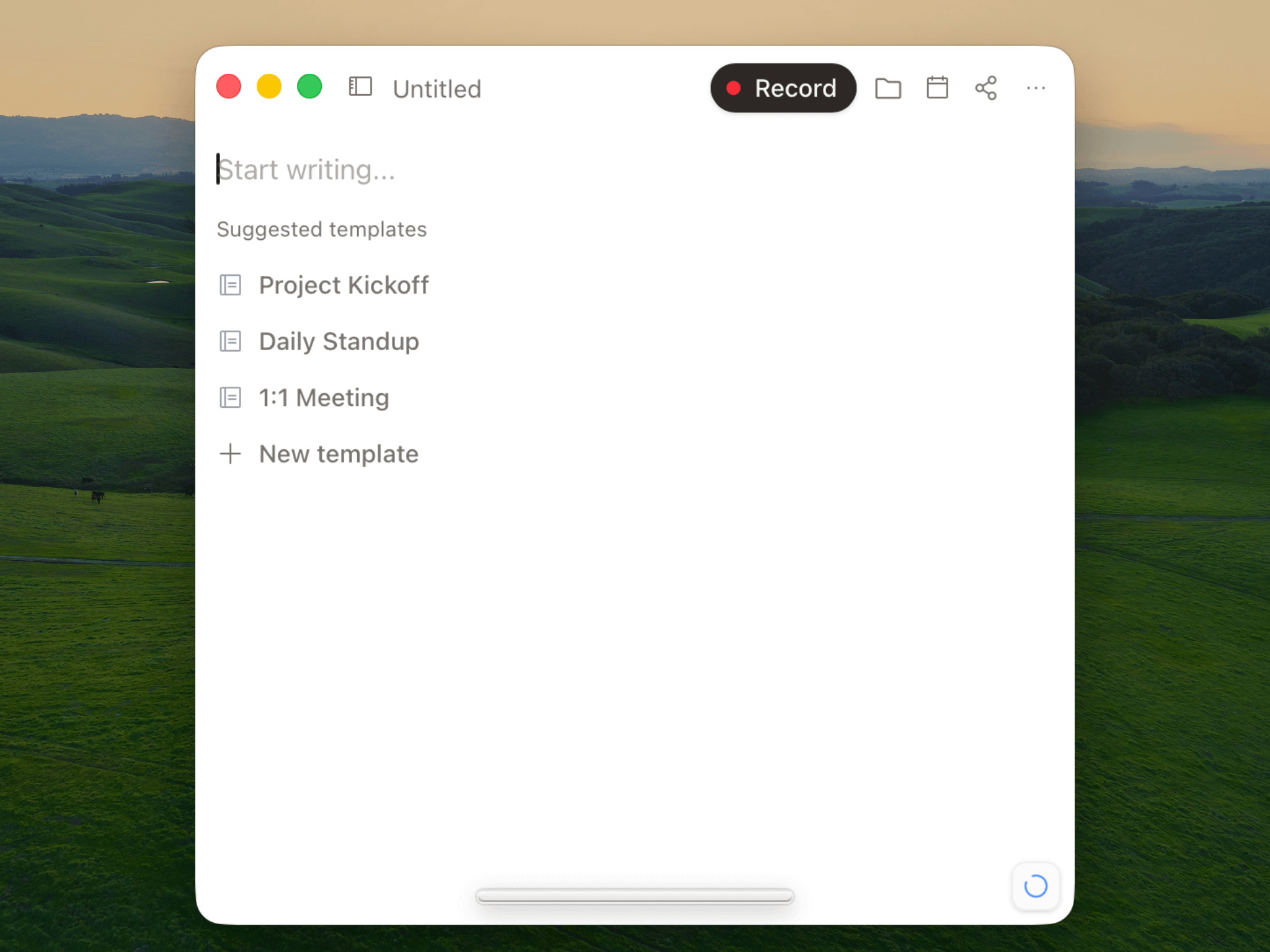
Anarlog keeps the canonical meeting record in local SQLite and offers Markdown export for portability.
The tradeoff is the usual one. Granola is a polished, hosted notepad with calendar-aware capture and a fast enhance step. Anarlog is the thing you run when the host holding your backlog is the bug, not the feature.
You can run both. Plenty of people do, until the first time they need a note from day 31.